


22,14€
Em stock


Inpa K+Dcan BMW Mini Interface de Diagnóstico OBD2 para Diagnóstico Profissional
Marca: satkit
22,14€
IVA incluído (S/ IVA: 18,00€)
Stock limitado
Entrega padrão
Qua, Abr 22 - Sex, Abr 24
Entrega expresso
Seg, Abr 20 - Ter, Abr 21
Devoluções em 30 dias
Devoluções gratuitas em 30 dias
Transação segura


Share:
Entrega grátis
Em encomendas superiores a 60€
Devoluções fáceis
Política de devolução de 30 dias
Pagamento seguro
Checkout 100% seguro
Garantia de qualidade
Apenas produtos originais
Inpa K+Dcan BMW Mini Interface de Diagnóstico OBD2 é um dispositivo USB concebido para oferecer um diagnóstico completo em veículos BMW e Mini fabricados entre 1998 e 2008. Compatível com os programas INPA, SSS, Progman e outros, esta interface disponibiliza todas as funções necessárias para uma análise detalhada e profissional.
Características principais
- Diagnóstico completo de sistemas eletrónicos BMW e Mini.
- Compatível com software INPA, SSS, Progman e Ediabas.
- Leitura e eliminação de erros para uma rápida identificação de falhas.
- Funções de adaptações e codificação para personalizar e ajustar parâmetros do veículo.
- Suporte para protocolos D-CAN e PT-CAN de alta velocidade (500 kbit/s) e PT-CAN de baixa velocidade (100 kbit/s).
- Suporte duplo de K-Line para comunicação eficiente.
- Deteção de voltagem da bateria e tensão de ignição através da linha de controlo.
- Ligação USB com cabo integrado de 1,5 metros que cria uma porta virtual para facilitar a ligação.
Modelos compatíveis que requerem D-CAN
- BMW E60, E61 (a partir de março de 2007).
- BMW E83 (a partir de setembro de 2006).
- BMW E81, E87 (a partir de março de 2007).
- BMW E90, E91, E92, E93 (a partir de março de 2007).
- BMW E70 (Novo X5).
- Mini R56 (Novo Mini).
Uso típico
Esta interface é ideal para oficinas, técnicos e entusiastas que desejam realizar diagnósticos precisos em veículos BMW e Mini. Permite detetar falhas, apagar códigos de erro, realizar adaptações e codificações, facilitando a manutenção e reparação do veículo.
Compatibilidade
Compatível com sistemas operativos que suportem os programas INPA, SSS e Progman. Liga-se via USB e é reconhecida como um dispositivo virtual para facilitar a sua utilização sem necessidade de configurações complexas.
Conteúdo da embalagem
- 1x Interface USB Inpa K+Dcan com cabo integrado de 1,5 m.
- 1x Unidade de software em CD para instalação.
Esta ferramenta oferece uma solução económica e eficiente para o diagnóstico OBD2 em veículos BMW e Mini, garantindo qualidade e precisão em cada utilização.
- Diagnóstico completo para BMW e Mini 1998-2008
- Compatível com INPA, SSS, Progman e Ediabas
- Leitura e eliminação de erros, adaptações e codificação
- Suporte para D-CAN, PT-CAN alta e baixa velocidade
- Ligação USB com cabo integrado de 1,5 metros
- Deteção de voltagem da bateria e tensão de ignição
- Inclui unidade de software em CD para instalação
Perguntas e Respostas de Clientes
Quines són les especificacions tècniques del cable (longitud, tipus de connector, material) i què inclou el paquet?
El cable té una longitud d’1,5 m, acaba en un connector OBD2 estàndard i utilitza USB tipus A per connectar al PC. Està fabricat amb recobriment plàstic resistent. El paquet inclou 1 cable INPA K+Dcan i un CD amb el programari necessari.
Quins passos s’han de seguir per a la instal·lació i per assegurar la comunicació correcta entre el cable i el vehicle?
Cal instal·lar primer el programari i els drivers del dispositiu, després connectar el cable a l’OBD2 del cotxe i al PC. És important verificar que el port virtual COM estigui configurat entre 1 i 4, i que tant el programari com el sistema operatiu reconeguin el dispositiu abans d’iniciar la diagnosi.
Quins són els errors o problemes d’ús més freqüents d’aquesta interfície i com es resolen?
Els problemes més habituals inclouen fallades en el reconeixement del cable (possible conflicte de drivers), selecció incorrecta del port COM, incompatibilitat amb Windows 10/11 i fallades de comunicació per connectors bruts. Es recomana reinstal·lar els drivers, ajustar el port COM i garantir la compatibilitat del sistema operatiu; netejar els connectors ajuda en la connexió física.
What are the technical specifications of the cable (length, connector type, material) and what is included in the package?
The cable is 1.5 m long, ends in a standard OBD2 connector and uses USB Type A to connect to the PC. It is made with a durable plastic coating. The package includes 1 INPA K+Dcan cable and a CD with the necessary software.
What steps should be followed for installation and to ensure correct communication between the cable and the vehicle?
First install the software and device drivers, then connect the cable to the car's OBD2 port and to the PC. It is important to check that the virtual COM port is set between 1 and 4, and that both the software and the operating system recognise the device before starting diagnostics.
What are the most common errors or usage problems with this interface and how are they solved?
The most common problems include failure to recognise the cable (possible driver conflict), incorrect COM port selection, incompatibility with Windows 10/11 and communication failures due to dirty connectors. It is recommended to reinstall the drivers, adjust the COM port and ensure operating system compatibility; cleaning the connectors helps with the physical connection.
What are the technical specifications of the cable (length, connector type, material) and what is included in the package?
The cable is 1.5 m long, ends in a standard OBD2 connector and uses USB Type A to connect to the PC. It is made with a durable plastic coating. The package includes 1 INPA K+Dcan cable and a CD with the necessary software.
What steps should be followed for installation and to ensure correct communication between the cable and the vehicle?
First install the software and the device drivers, then connect the cable to the car's OBD2 port and to the PC. It is important to check that the virtual COM port is set between 1 and 4, and that both the software and the operating system recognise the device before starting diagnostics.
What are the most common errors or usage problems with this interface and how are they solved?
The most common problems include the cable not being recognised (possible driver conflict), incorrect COM port selection, incompatibility with Windows 10/11 and communication failures due to dirty connectors. It is recommended to reinstall the drivers, adjust the COM port and ensure operating system compatibility; cleaning the connectors helps with the physical connection.
Vilka är kabelns tekniska specifikationer (längd, kontakttyp, material) och vad ingår i paketet?
Kabeln är 1,5 m lång, avslutas med en standard OBD2-kontakt och använder USB typ A för anslutning till PC. Den är tillverkad med slitstark plastbeläggning. Paketet innehåller 1 INPA K+Dcan-kabel och en CD med nödvändig mjukvara.
Escrever uma avaliação de cliente
Clientes que compraram este artigo também compraram
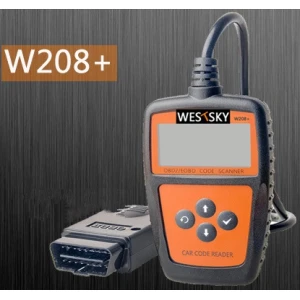


V310 leitor de códigos OBD2 para carro - ferramenta de diagnóstico automóvel
16,97€
Só restam 2 em stock


Scanner de diagnóstico moto OBD JDiag M100 Pro para reparação de motos KTM Honda Yamaha Kawasaki BMW
147,60€
Só restam 6 em stock
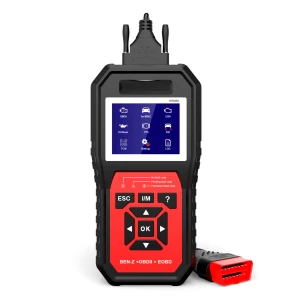
 Inpa K+Dcan BMW Mini Interface de Diagnóstico OBD2 para Diagnóstico Profissional
22,14€